
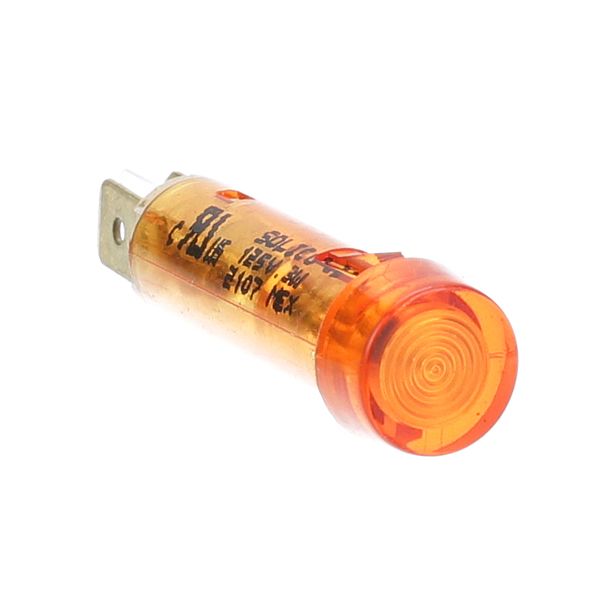
Pitco 60142301 Amber Indicator Light
Dimensions
- Length: 2 In
- Width: 1 In
- Height: 1 In
- Weight: 0.01 lbs
Product Notes
- 120V
- Magikitchn Mkg(48,60,72)
Observance of Independence day July 4th we are closed [No shipping's and deliveries ] on 07/03/2026, Orders received after 3.00pm CST on 07/02/2026 will be shipping out on Monday 07/06/2026
We strive to provide our customers with a hassle-free and efficient shopping experience. Our shipping policy ensures the timely delivery of your orders and complete customer satisfaction. View More
We are committed to ensuring your complete satisfaction with every purchase. We understand that circumstances may arise where you must return a product or request a refund. If for any reason you are not satisfied, you may return the item(s) according to the terms outlined below. View More
This Payment Policy outlines the terms and conditions governing all payments made for products purchased through our website. By making a purchase, you agree to be bound by this Payment Policy. View More
Step1: Disconnect power to the appliance and allow all surfaces to cool completely before servicing.
Step2: Remove the control panel or indicator bezel to access the existing signal light assembly.
Step3: Carefully disconnect the wiring terminals from the old signal light.
Step4: Release retaining clips and remove the faulty light from the mounting opening.
Step5: Insert the new signal light, ensuring correct alignment and a secure snap-fit into the panel.
Step6: Reconnect wiring, restore power, and verify the amber indicator illuminates during heating operation.