
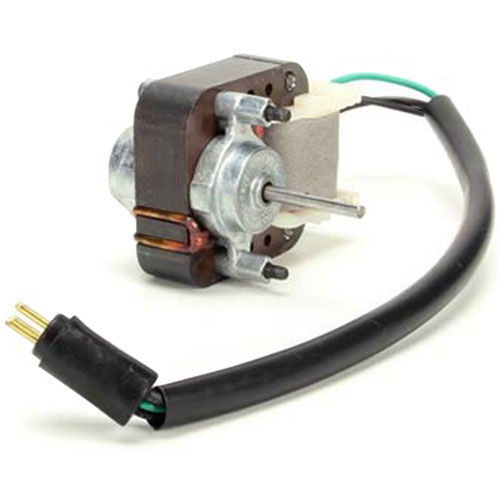
Atlas 2013 Fan Motor 120V 60Hz
Description
Step1: Disconnect the power supply to avoid electrical hazards.
Step2: Access the fan housing by removing the protective cover.
Step3: Detach wiring connections from the existing motor carefully.
Step4: Unscrew and remove the old motor from its mount.
Step5: Install the new motor, align properly, and secure it firmly.
Step6: Reconnect wiring, replace the cover, restore power, and test operation.
-
What maintenance is required for the Atlas 2013 Fan Motor?
Check that the fan blades rotate freely and are free from dust or debris buildup. Inspect electrical connections for tight contact and test motor operation at full speed. Check for unusual noises indicating bearing wear or imbalance.
-
What are common issues with the Atlas 2013 Fan Motor?
- Motor humming but not spinning.
- Reduced airflow output.
- Fan blade wobbling during use.
- Motor overheating under load.
Customer Reviews
No reviews yet. Be the first to write one!
Write a Review
We strive to provide our customers with a hassle-free and efficient shopping experience. Our shipping policy ensures the timely delivery of your orders and complete customer satisfaction. View More
We are committed to ensuring your complete satisfaction with every purchase. We understand that circumstances may arise where you must return a product or request a refund. If for any reason you are not satisfied, you may return the item(s) according to the terms outlined below. View More
This Payment Policy outlines the terms and conditions governing all payments made for products purchased through our website. By making a purchase, you agree to be bound by this Payment Policy. View More