
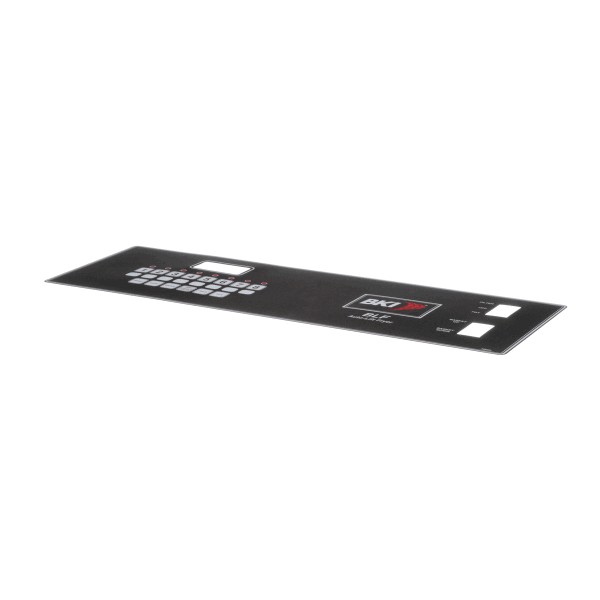
BKI (Barbeque King) N0709 Control Panel Decal Boil Out BLF/FC
Specifications:
- Type: Control Panel Decal
Description
Step1: Disconnect power supply and let panel cool completely.
Step2: Clean surface using mild detergent and remove grease, oil, and old adhesive residue.
Step3: Peel backing from decal carefully without touching adhesive.
Step4: Align decal with control panel markings and press from center outward.
Step5: Smooth out air bubbles using a soft cloth or squeegee.
-
What maintenance is required for the BKI (Barbeque King) N0709 Control Panel Decal?
Clean the decal gently using a soft, damp cloth to preserve printed instructions and visibility. Avoid abrasive cleaners or harsh chemicals. Ensure proper adhesion to the panel. Inspect periodically for peeling or fading to maintain clear operational direction and user safety.
-
What are common issues with the BKI (Barbeque King) N0709 Control Panel Decal?
- Decal peeling from the surface.
- Faded or illegible instructions.
- Air bubbles forming underneath.
- Edges lifting over time.
- Misalignment after installation.
Customer Reviews
No reviews yet. Be the first to write one!
Write a Review
We strive to provide our customers with a hassle-free and efficient shopping experience. Our shipping policy ensures the timely delivery of your orders and complete customer satisfaction. View More
We are committed to ensuring your complete satisfaction with every purchase. We understand that circumstances may arise where you must return a product or request a refund. If for any reason you are not satisfied, you may return the item(s) according to the terms outlined below. View More
This Payment Policy outlines the terms and conditions governing all payments made for products purchased through our website. By making a purchase, you agree to be bound by this Payment Policy. View More