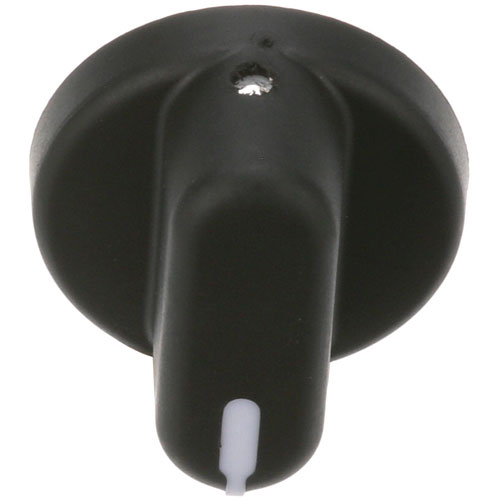

Roundup - AJ Antunes 7001324 Black Indicator Pointer Knob 1-3/8" DIA, 1/4" D-Stem Flat Down
Specifications:
- Black Indicator Knob
- 1-3/8" Dia, Pointer, 1/4" D-Stem Flat Down,
- Roundup
- Toaster Vct-(20,25,50,100,200,2000)
Description
Dimensions:
- Weight: 0.25 lbs
- Length: 1.5 in
- Height: 1 in
- Width: 1.5 in
This Part Fits the Following Models
18 modelsStep1: Turn off equipment and ensure shaft is clean and aligned for safety before installation.
Step2: Align stem flat with knob internal slot to match shaft orientation.
Step3: Push knob firmly onto shaft until fully seated without forcing.
Step4: Rotate pointer to desired position for proper calibration alignment.
Step5: Verify secure fit and restore power safely, checking operation testing.
-
What maintenance is required for the Roundup - AJ Antunes 7001324 Indicator Pointer Knob?
Clean regularly to prevent grease buildup that can hinder smooth rotation. Ensure a secure fit to avoid slipping during operation. Check pointer alignment and replace if worn to maintain accurate settings.
-
What are common issues with the Roundup - AJ Antunes 7001324 Indicator Pointer Knob?
- Knob slips on D-stem causing inaccurate control.
- Pointer markings fade reducing visibility of settings.
- Cracks develop from heat exposure or impact.
- Stiff rotation due to grease or debris buildup causing operation.
Customer Reviews
No reviews yet. Be the first to write one!
Write a Review
We strive to provide our customers with a hassle-free and efficient shopping experience. Our shipping policy ensures the timely delivery of your orders and complete customer satisfaction. View More
We are committed to ensuring your complete satisfaction with every purchase. We understand that circumstances may arise where you must return a product or request a refund. If for any reason you are not satisfied, you may return the item(s) according to the terms outlined below. View More
This Payment Policy outlines the terms and conditions governing all payments made for products purchased through our website. By making a purchase, you agree to be bound by this Payment Policy. View More