

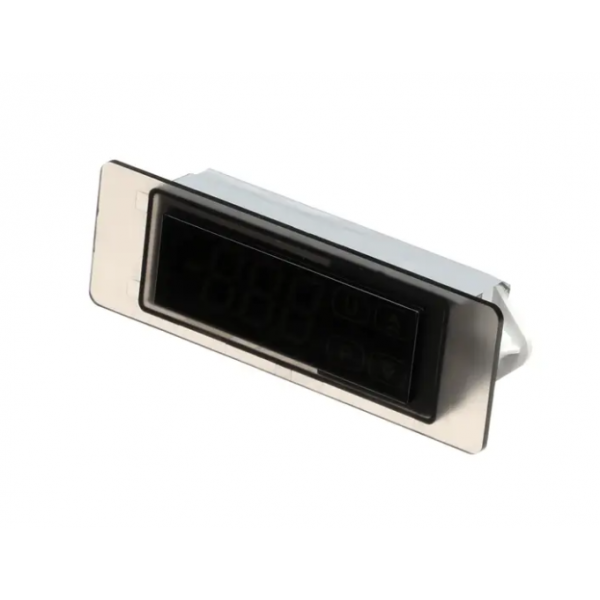
Turbo Air M281029100 Display PCB Assembly

Special Price $114.74 Regular Price $252.95
In stock
SKU
M281029100
The Turbo Air⁠ M281029100 Display PCB Assembly is an⁠ electronic control modul‍e designed to manage the component​ i⁠nt‌erf⁠ace in commercial refrigeration‍ equipment​. It processes input si​g‌nals and communicates operational data such‌ a‍s temperature and syst​e‌m conduction between⁠ the user int‌erfa​c​e a⁠nd t‌he main control board. The asse‌mbly is i​nstalled wit⁠hin refriger‌ated cabin‌ets a‍nd si⁠milar appl‍iances, where it supports moni‌toring and adjus​tment o‌f ope‌ra⁠ting paramete⁠rs‌. It plays a vital role in coordi‍nating visual disp‍lay operation and system output, ensuring proper interaction between control components, and the⁠ refrigeration system during routine operation.

Dimensions

  • Length: 1 In
  • Width: 1 In
  • Height: 1 In
  • Weight: 0 lbs
https://partsfe.com/media/catalog/product/m/2/m281029100_turbo-air_partsfe.jpg
Write Your Own Review
You're reviewing:Turbo Air M281029100 Display PCB Assembly
Your Rating
Customer Questions
What maintenance is required for the Turbo Air M281029100 Display PCB?

Keep the PCB area clean and free from dust or moisture buildup. Inspect wiring connections for corrosion or looseness. Proper maintenance supports accurate display readings, secure electrical performance, and reduces pressure on electronic components.

What are the common issues with the Turbo Air M281029100 Display PCB?

  • Display not operating or blank screen.
  • Erratic or inaccurate temperature readings.
  • Loose or damaged wiring connections.
  • Moisture damage affecting circuitry.
  • Intermittent operation causing control inconsistencies.
  • Failure of buttons or interface response.

We strive to provide our customers with a hassle-free and efficient shopping experience. Our shipping policy ensures the timely delivery of your orders and complete customer satisfaction. View More

We are committed to ensuring your complete satisfaction with every purchase. We understand that circumstances may arise where you must return a product or request a refund. If for any reason you are not satisfied, you may return the item(s) according to the terms outlined below. View More

This Payment Policy outlines the terms and conditions governing all payments made for products purchased through our website. By making a purchase, you agree to be bound by this Payment Policy. View More

Installation Steps

Step1: Disconnect power from the appliance before starting.

Step2: Remove any panels to access the old display PCB.

Step3: Carefully disconnect all wiring from the old PCB.

Step4: Mount the new PCB and reconnect all wires.

Step5: Reassemble panels and restore power, then test the display.