

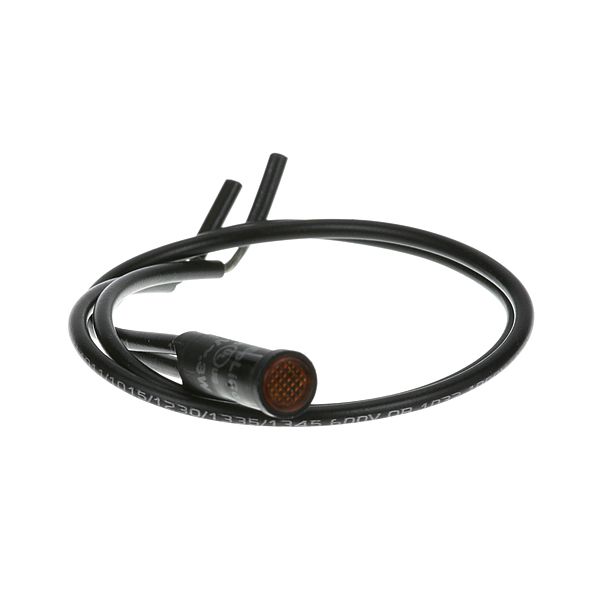
Intermetro RPC13-105 Holding Cabinet Indicator Light Yellow

$47.60
In stock
SKU
RPC13-105
The Intermetro RPC13-105 Holding Cabinet Indicator Light Yellow is used to show when the cabinet is operating, which is displayed in bright yellow. It is directly linked to the control system of the cabinet, and it is a visual indication without the need to add more wiring and changes. The indicator light is simple to install and is attached to the exterior of the holding cabinet to fit into specific panels or holes to appear streamlined. It is a simple addition to commercial kitchen equipment due to its compact size and it provides an easy visual representation.

Dimensions

  • Length: 5.125 In
  • Width: 2.25 In
  • Height: 0.25 In
  • Weight: 0.03 lbs
https://partsfe.com/media/catalog/product/i/n/intermetro-rpc13-105-signal-light-77449.jpg

Product Notes

  • Signal Light, 125V, Fits 5/16" Hole, Amber Flat Top,
  • 10" Leads,
  • Inter Metro Food Warmer C200, Cm1500, Hm1500, Hm2000,
  • Hm154Lw, M1500, Btc90B/S
INTERMETRO:
Write Your Own Review
You're reviewing:Intermetro RPC13-105 Holding Cabinet Indicator Light Yellow
Your Rating
Customer Questions
What maintenance is required for the Intermetro RPC13-105 Signal Light?

Regularly inspect the signal light for proper illumination and secure wiring connections. Clean the lens to remove dust or grease buildup. Routine checks supports ensure accurate operation and prevent electrical issues. Always disconnect power before performing any maintenance for safety.

What are common issues with the Intermetro RPC13-105 Signal Light?

  • Bulb not lighting or complete failure.
  • Flickering or unstable illumination.
  • Loose or damaged wiring connections.
  • Lens wear affecting visibility.
  • Electrical faults disrupting signal operation.

We strive to provide our customers with a hassle-free and efficient shopping experience. Our shipping policy ensures the timely delivery of your orders and complete customer satisfaction. View More

We are committed to ensuring your complete satisfaction with every purchase. We understand that circumstances may arise where you must return a product or request a refund. If for any reason you are not satisfied, you may return the item(s) according to the terms outlined below. View More

This Payment Policy outlines the terms and conditions governing all payments made for products purchased through our website. By making a purchase, you agree to be bound by this Payment Policy. View More

Installation Steps

Step1: Turn off power to the unit to secure from electrical shock.

Step2: Locate the designated mounting area on the equipment panel.

Step3: Secure the signal light using compatible fasteners or brackets.

Step4: Connect wiring according to the product’s wiring diagram, matching polarity.

Step5: Tighten all connections and ensure insulation is intact.

Step6: Restore power and test the light for proper operation.