
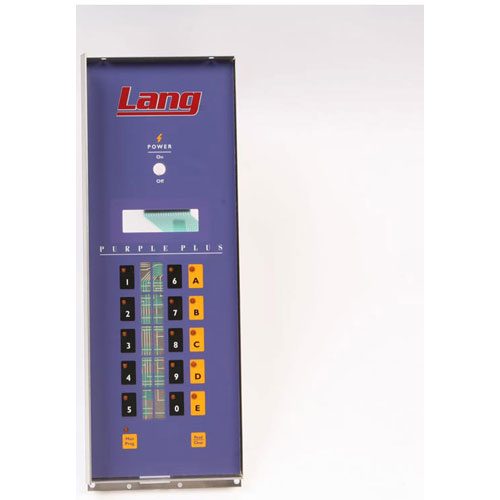
Star Mfg Q9-60101-7661 Oven Front Control Panel W/Label EHS-PP
Description
LANG:
Q9601017661
Step1: Disconnect electrical power to the oven and verify the unit is de-energized before servicing.
Step2: Remove the screws securing the existing front control panel.
Step3: Carefully pull the panel forward and disconnect any attached controls, switches, or indicator components.
Step4: Transfer the controls and hardware to the panel as required.
Step5: Position the new control panel and reconnect all components according to the wiring diagram.
Step6: Secure the panel with the original mounting hardware.
Step7: Restore power and test all controls, switches, and indicators for proper operation.
-
What maintenance is required for the Star Mfg Q9-60101-7661 Control Panel?
Inspect the control panel regularly for loose connections, moisture ingress, or physical damage. Keep the surface clean and free from grease buildup to ensure proper operation and readability. Ensure all wiring remains secure and undamaged.
-
What are common issues with the Star Mfg Q9-60101-7661 Control Panel?
- Unresponsive or faulty control buttons.
- Display or indicator failure.
- Loose or damaged wiring connections.
- Control panel not registering inputs correctly.
- Electrical malfunction causing intermittent operation.
Customer Reviews
No reviews yet. Be the first to write one!
Write a Review
We strive to provide our customers with a hassle-free and efficient shopping experience. Our shipping policy ensures the timely delivery of your orders and complete customer satisfaction. View More
We are committed to ensuring your complete satisfaction with every purchase. We understand that circumstances may arise where you must return a product or request a refund. If for any reason you are not satisfied, you may return the item(s) according to the terms outlined below. View More
This Payment Policy outlines the terms and conditions governing all payments made for products purchased through our website. By making a purchase, you agree to be bound by this Payment Policy. View More