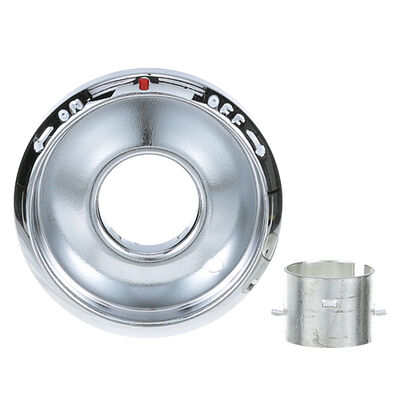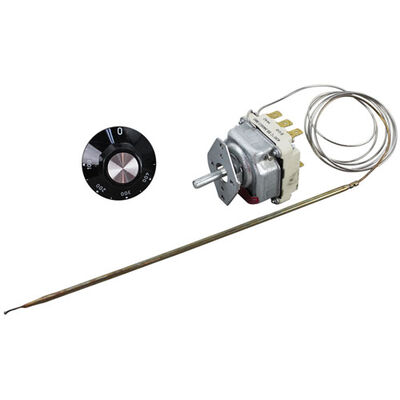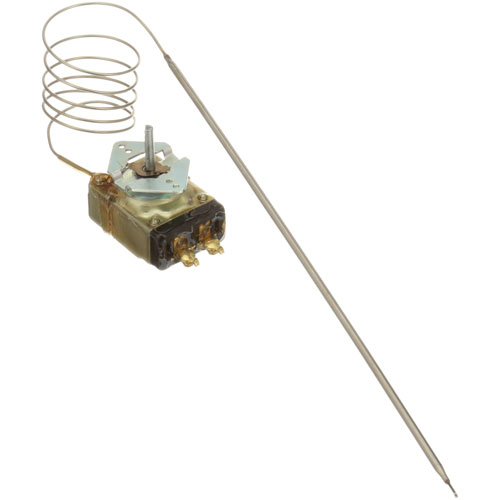
Groen Z041700 Oven Thermostat KX 100-450°F 36" CAP
Specifications:
- [ Type - Kx ] [ Temp 100-450 ] [ Bulb 3/16" X 11-3/4"] [
- Cap 36" ] D-Stem .187" Flat Down.
- Groen Knob 22-1578
- Groen Tilt Skillet Model Hfp/2
Description
Dimensions:
- Weight: 0.44 lbs
- Length: 13 in
- Height: 3 in
- Width: 4 in
Step1: Turn off and unplug the oven to prevent electrical shock.
Step2: Remove the control panel or access cover to reach the old thermostat.
Step3: Disconnect the wiring and carefully remove the old thermostat.
Step4: Clean the mounting surface to remove debris or residue.
Step5: Install the new thermostat in the correct orientation and reconnect the wiring.
Step6: Replace the panel or cover.
Step7: Plug in the oven and test to ensure accurate temperature control.
-
What maintenance is required for the Groen Z041700 Thermostat?
Inspect the oven thermostat surface and sensor probe to remove grease or food particles. Check for secure wiring connections and proper calibration. Maintaining it ensures even cooking and prevents inaccurate temperature readings.
-
What are common issues with the Groen Z041700 Thermostat?
- Oven heating inconsistently.
- Temperature swings during operation.
- Thermostat probe failure.
- Loose or damaged wiring.
Customer Reviews
No reviews yet. Be the first to write one!
Write a Review
We strive to provide our customers with a hassle-free and efficient shopping experience. Our shipping policy ensures the timely delivery of your orders and complete customer satisfaction. View More
We are committed to ensuring your complete satisfaction with every purchase. We understand that circumstances may arise where you must return a product or request a refund. If for any reason you are not satisfied, you may return the item(s) according to the terms outlined below. View More
This Payment Policy outlines the terms and conditions governing all payments made for products purchased through our website. By making a purchase, you agree to be bound by this Payment Policy. View More