

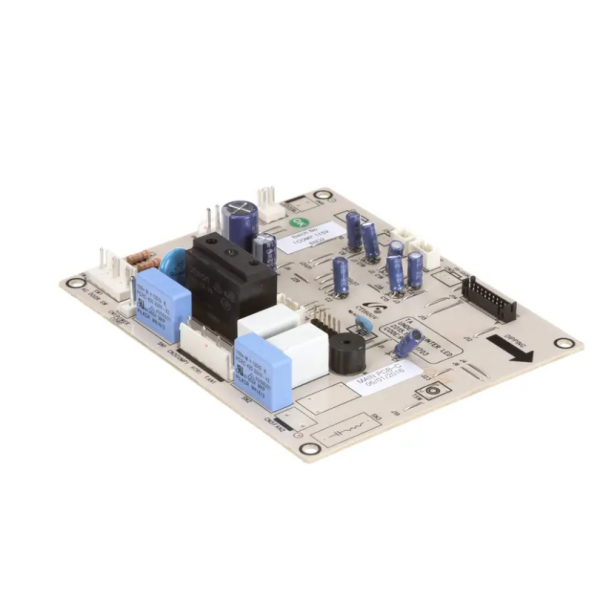
Turbo Air JF75400200 Main Control Board

Special Price $208.10 Regular Price $468.95
In stock
SKU
JF75400200
The Turbo Air JF75400200 Main Control Board is an electronic control part that is used to manage and coordinate key system operations in commercial equipment. It processes input from sensors and connected parts to regulate cooling operations, defrost cycles, and normal operative settings. Installed within the unit's electrical control system, it operates as the central interface for communication between major refrigeration components. It is commonly used in commercial refrigerators and freezers where coordinated control of temperature-related operations is required for stable equipment and monitoring.

Dimensions

  • Length: 1 In
  • Width: 1 In
  • Height: 1 In
  • Weight: 0 lbs
https://partsfe.com/media/catalog/product/j/f/jf75400200_turbo-air_partsfe.jpg
Write Your Own Review
You're reviewing:Turbo Air JF75400200 Main Control Board
Your Rating
Customer Questions
What maintenance is required for the Turbo Air JF75400200 Main Pcb?

Ensure the PCB is kept clean and free from dust, moisture, and grease buildup to prevent electrical faults. Inspect connections for corrosion or looseness regularly. Proper handling during servicing maintains avoid static damage and ensures stable performance.

What are common issues with the Turbo Air JF75400200 Main Pcb?

  • PCB failure due to power surges or voltage fluctuations.
  • Corrosion or moisture damage causing short circuits.
  • Loose or burnt connectors leading to intermittent operation.
  • Control signal errors affecting system performance.

We strive to provide our customers with a hassle-free and efficient shopping experience. Our shipping policy ensures the timely delivery of your orders and complete customer satisfaction. View More

We are committed to ensuring your complete satisfaction with every purchase. We understand that circumstances may arise where you must return a product or request a refund. If for any reason you are not satisfied, you may return the item(s) according to the terms outlined below. View More

This Payment Policy outlines the terms and conditions governing all payments made for products purchased through our website. By making a purchase, you agree to be bound by this Payment Policy. View More

Installation Steps

Step1: Disconnect power supply and ensure unit is fully powered off to avoid electric shock.

Step2: Open control panel cover and locate existing main PCB inside unit.

Step3: Disconnect connectors and remove old PCB from mounting standoffs.

Step4: Install new PCB aligning it with mounts and reconnect wiring harnesses securely.

Step5: Close panel, restore power, and test operation for proper operates.