Moffat Oven Light Bulb Troubleshooting: Key Solutions
A functioning oven light is essential for keeping an eye on your cooking without opening the door and losing heat. If the light bulb in your Moffat oven isn’t working properly, it can make cooking more challenging and cause unnecessary frustration. Fortunately, oven light problems are usually straightforward to diagnose and fix. This guide will help you identify common issues, such as a burnt-out bulb, faulty socket, or electrical faults, and provide practical solutions to get your oven light working again. Whether you’re handy with basic repairs or a beginner, these troubleshooting steps will help you safely and efficiently restore your Moffat oven light bulb.
Common Reasons Your Moffat Oven Light Bulb Isn’t Working
If your Moffat oven light bulb is not working, it’s usually due to a few common issues. You can troubleshoot and resolve the issue more quickly if you are aware of these causes.
-
Burnt-Out Bulb: The bulb can stop working after long-term exposure to heat and normal use, leading to failure.
-
Damaged Light Bulb Socket: If the socket is corroded or physically damaged, it can prevent the bulb from getting power.
-
Blown Fuse or Tripped Circuit: A blown fuse or tripped breaker interrupts the electrical supply to the oven light.
-
Faulty Oven Light Switch: A malfunctioning switch may fail to activate the bulb when the oven door is opened or the light is turned on.
-
Loose or Damaged Wiring: Wiring inside the oven may become loose or damaged, breaking the connection needed for the light to work.
By checking these common causes, you can pinpoint the issue and decide whether a simple bulb replacement or professional repair is needed.
Looking to fix your Moffat oven light bulbs? PartsFe offers replacement parts like light sockets, door switches, and control boards from leading brands like Moffat, Southbend, and Hobart. Shop now to keep your oven shining bright and cooking smoothly!
How to Safely Access the Moffat Oven Light Bulb
Before attempting to access the oven light bulb in your Moffat oven, safety should always be your top priority. To guarantee a secure and efficient process, follow these steps:
-
Turn Off the Oven: To reduce the chance of receiving an electric shock, make sure the oven is fully turned off and disconnected from the power source.
-
Allow the Oven to Cool: Oven bulbs are designed to withstand high temperatures, but the bulb and surrounding area can still be very hot right after use. Before continuing, wait until the oven has completely cooled.
-
Gather Necessary Tools: You may need a Phillips screwdriver and gloves to remove the bulb cover safely. If unsure, search Moffat oven light bulb how to remove the cover or check your manual.
-
Locate the Bulb Cover: Most Moffat ovens have the light bulb located inside the oven cavity, usually behind a glass cover near the top or back wall.
-
Remove the Bulb Cover: Carefully perform the oven light cover removal by unscrewing or unclipping the protective glass. Handle it gently to avoid cracking or shattering the cover.
-
Handle the Bulb With Care: Use gloves or a cloth to grip the bulb; this protects the bulb from oils on your skin and prevents slipping.
-
Inspect or Replace the Bulb: Once accessible, you can check the bulb’s condition or remove it if needed.
Following these safety steps will help you access your oven light bulb without injury or damage.
Choosing the Correct Replacement Moffat Oven Light Bulb
Selecting the right Moffat oven light bulb replacement is important to ensure safe operation and proper lighting. When selecting a new lightbulb, keep the following in mind:
-
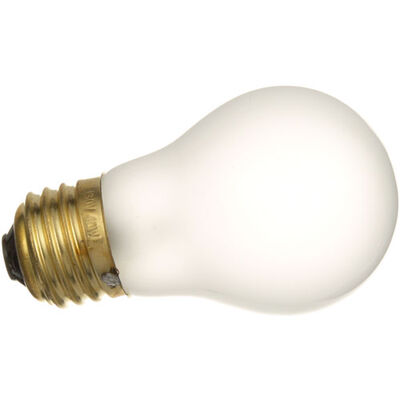
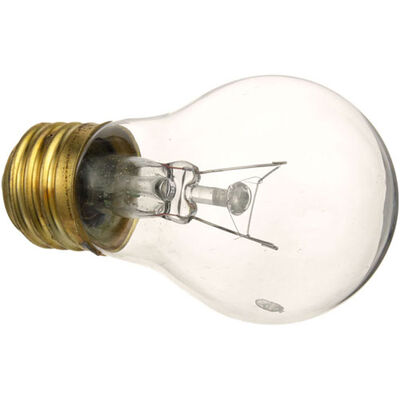
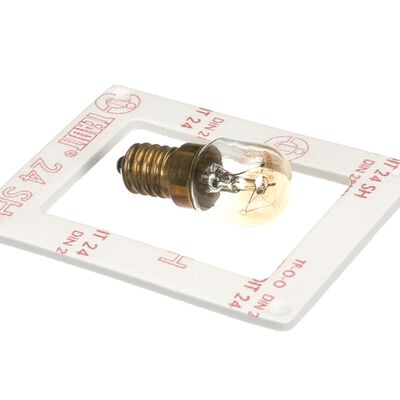
Check the Bulb Type: Moffat ovens typically use halogen or incandescent bulbs designed specifically for high-heat environments. Confirm the exact type by referring to your oven’s manual or the existing bulb.
-
Verify the Wattage: Using a bulb with the wrong wattage can cause overheating or insufficient light. Common oven bulbs are usually between 15 to 40 watts. Match the wattage exactly to the original bulb.
-
Confirm the Voltage: Most Moffat oven bulbs operate on 120V or 240V, depending on your region and model. Verify that the voltage requirements are met by the Moffat Oven light bulb replacement.
-
Look for Heat-Resistant Bulbs: Oven bulbs need to withstand high temperatures, so always choose bulbs marked as heat-resistant or oven-safe.
-
Check the Bulb Base: The bulb base (such as E14 or E27 screw fitting) must be compatible with your oven’s socket to fit securely.
-
Buy from Reliable Sources: Always buy from trusted sources or check if Moffat oven light bulb lowes options that fit your model.
By carefully selecting the correct bulb, you maintain your oven’s performance and avoid electrical issues or safety hazards.
Step-by-Step Process to Replace Moffat Oven Light Bulb
Replacing your Moffat oven light bulb is a quick and easy task when done safely. Complete the replacement process easily and safely by following these straightforward steps.
Step 1: Switch Off the Power.
To prevent electric shock, turn off your oven and unhook it from the power source.
Step 2: Allow Oven to Cool
Wait until the oven has completely cooled down to prevent burns or injuries.
Step 3: Locate the Bulb Cover
Open the oven door and locate the Moffat oven light bulb cover inside the cavity, usually at the top or back, which you will need to remove.
Step 4: Remove the Bulb Cover
Unscrew the glass cover or gently pry it off if it’s clipped in place. To prevent breaking, handle the glass with care.
Step 5: Take Out the Old Bulb
Carefully unscrew the old bulb by rotating it counterclockwise while wearing gloves or a towel. Don't use your bare hands to touch the lightbulb.
Step 6: Installing the New Bulb
Don't overtighten; instead, flip the new oven bulb clockwise until it fits snugly.
Step 7: Replace the Bulb Cover
Put the glass cover back in place and secure it by screwing or clipping it on.
Step 8: Turn On the Power Again
To test the new lightbulb, plug the oven back in and turn it on.
Following these steps will help you safely change oven light bulb Moffat and restore proper lighting.
Check out this guide on common oven light bulb issues and fixes to understand the causes and solutions before you begin the troubleshooting process.
Diagnosing Persistent Moffat Oven Light Bulb Problems After Replacement
If your Moffat oven light bulb still doesn’t work after you’ve replaced it, the problem likely lies beyond the bulb itself. You can find common problems and fixes to get your oven light back with the help of this guide.
Faulty Light Bulb Socket
Issue: A damaged or corroded socket can prevent the bulb from receiving power.
Symptoms:
-
Oven light does not turn on, even with a new bulb installed.
-
visible discoloration or corrosion within the socket.
-
When inserted, the bulb feels slack or unsteady.
Solutions:
-
Examine the Socket: Determine whether voltage is entering the socket by using a multimeter. No voltage means the socket or wiring might be faulty.
-
Clean the Socket: Clean the socket by using a soft brush or contact cleaner to get rid of any corrosion or debris.
-
Inspect for Damage: Replace the socket if cracked or broken.
-
Secure the Socket: Ensure it’s properly fixed and making good contact.
-
Professional Replacement: Have a technician replace the socket if needed.
Defective Oven Light Switch
Issue: A faulty switch can fail to send power to the oven light bulb.
Symptoms:
-
Light stays off even when the oven door is opened.
-
No clicking sound from the switch when the door opens.
-
Inconsistent light operation (flickering or only working sometimes).
Solutions:
-
Examine the Door Switch: Press the switch to open and close the door; if the oven light flickers or remains off, the switch might be broken.
-
Check the Switch: To verify continuity, use a multimeter.
-
Clean Contacts: Remove dirt or corrosion on the switch.
-
Replace Switch: Install a new switch if faulty.
-
Check Wiring: Ensure wiring connections to the switch are secure.
Wiring and Electrical Control Board Problems
Issue: Loose or damaged wiring or control board faults can disrupt power flow to the bulb.
Symptoms:
-
Oven light fails despite a good bulb and socket.
-
Other electrical issues with the oven may be present.
-
Visible damaged or disconnected wires.
Solutions:
-
Look for Wiring Damage: Inspect for burnt wires, frayed insulation, or disconnected leads that can prevent power flow.
-
Examine Wiring: Look for any loose or damaged wiring.
-
Repair Wiring: Replace or repair damaged wires.
-
Examine the Control Board: Control board faults can stop the light from working and usually need professional repair.
-
Professional Help: Seek expert repair for electrical issues.
Incorrect Bulb Installation
Issue: Improper bulb installation can cause it not to light or burn out prematurely.
Symptoms:
-
Light doesn’t turn on after bulb replacement.
-
Bulb feels loose or doesn’t fit properly.
-
Bulb burns out quickly after installation.
Solutions:
-
Power Off: Turn off the oven before handling the bulb.
-
Install Correctly: Screw the bulb in firmly, but don’t overtighten.
-
Use Gloves: Avoid touching the bulb glass with bare hands.
-
Verify Bulb Type: Use the correct bulb specified for your oven.
What to Do if the Moffat Oven Light Bulb Won’t Turn Off
If your Moffat oven light stays on constantly, it may signal a mechanical or electrical malfunction. Try these non-repetitive checks to resolve the issue:
-
Inspect the Oven Door Alignment: Misaligned or loose oven doors may not press the internal switch fully, leaving the light on even when the door is closed.
-
Check for Warped Door Gasket: A worn or bent door seal can prevent proper closure, keeping the switch in the open position and the light turned on.
-
Review User Settings: Some Moffat ovens allow manual light control through the display panel. Verify that it is not always in “ON" or a comparable mode.
-
Inspect Control Panel for Moisture or Grease: Buildup behind control buttons may interfere with electrical signals, especially if the light button is stuck in the "on" position.
-
Reset the Oven via Breaker Panel: Flip the kitchen circuit breaker off for 60 seconds, then back on. This can resolve minor software or control glitches.
-
Schedule a Diagnostic Service: If none of these resolve the issue, a technician can assess whether the light circuit or relay is stuck in the "on" state.
These steps help correct an oven light that refuses to turn off safely and efficiently.
Maintenance Tips to Extend Moffat Oven Light Bulb and Oven Life
Proper care of your Moffat oven and its light bulb can significantly extend their lifespan and prevent common issues. To maintain your oven operating at peak efficiency, follow these easy maintenance guidelines:
-
Use the Correct Bulb Type: Always use a bulb that matches your oven’s specifications (wattage, voltage, and heat rating) to prevent early burnouts.
-
Avoid Touching the Bulb With Bare Hands: The oils on your fingertips can cause surface damage to the bulb, reducing its lifespan. When installing, use a towel or gloves.
-
Keep the Oven Interior Clean: Regularly wipe down the interior, especially around the light cover, to avoid the buildup of grease and grime that can trap heat or block light.
-
Check the Door Seal Regularly: A damaged gasket can cause heat loss and overwork the oven’s components, including the bulb. Replace seals if they’re cracked or loose.
-
Turn Off the Light When Not Needed: If your model allows manual control, avoid leaving the oven light on for long periods.
-
Schedule Periodic Inspections: Have your oven checked by a technician annually to catch early signs of wear in electrical components or wiring.
With routine maintenance, you’ll extend both the light bulbs and the oven’s overall lifespan.
Check out this guide on DIY oven maintenance and replacing the oven door gasket to keep your oven running efficiently.
Conclusion
Troubleshooting your Moffat oven light bulb doesn’t have to be difficult. By methodically inspecting common trouble spots like the bulb socket, switch, wiring, and installation, you can quickly pinpoint and resolve most issues. Knowing these essential fixes helps you save time and money while keeping your oven safe and running efficiently. Regular upkeep and careful handling also prolong the lifespan of both the bulb and oven parts. Taking a proactive stance on these minor repairs can help you avoid more serious problems in the future. With proper care and attention, you can keep your oven light shining bright and dependable whenever you need it.
FAQs
Why is the light not working on my Moffat oven?
The oven light might not be working due to a burnt-out bulb, loose connection, or a faulty door switch. Check the bulb first, and if replacing it doesn't help, it may need professional servicing.
Is there a recall on Moffat ovens?
There have been recalls on certain Moffat models in the past due to safety concerns. Visit the official Moffat website or your country’s product safety authority to check if your model is affected.
How to change the oven light bulb on a Moffat oven?
Unplug the oven, let it cool completely, then unscrew the light cover and replace the bulb with a compatible high-heat appliance bulb. Make sure the new bulb is securely in place before restoring power.