

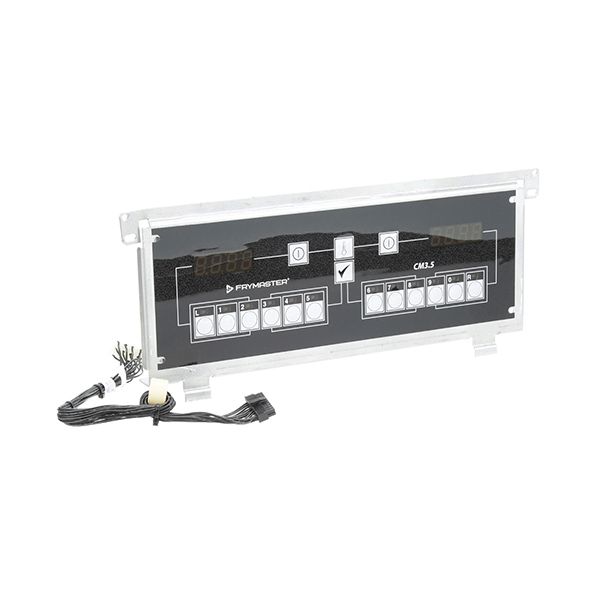
Dean 1066906 Computer FPPH 50 FV Eurolook

Special Price $3,056.39 Regular Price $3,154.16
In stock
SKU
1066906
The Dean 1066906 Computer FPPH 50 FV Eurolook is a multi-functional and fast keypad that can be easily installed in different systems. It has 10 programmable keys so that users can program the functions for easy use and increase the rate of working. The installation cable of 12 inches or 305mm is convenient to set up, and the product is ideal for use in the retail, hospitality, and industrial sectors. It has a Eurolook design that gives it a modern look and feel, and the tough construction material means that it will last a long time.

Dimensions

  • Length: 17.25 In
  • Width: 7.5 In
  • Height: 3 In
  • Weight: 3.96 lbs
https://partsfe.com/media/catalog/product/d/e/dean-1066906-computer-fpph-50-fv-eurolook-66932-2.jpg

Product Notes

  • Includes: 12 Inch (305Mm) Installation Cable
  • Type: 10 Programmable Keys
Write Your Own Review
You're reviewing:Dean 1066906 Computer FPPH 50 FV Eurolook
Your Rating
Customer Questions
What maintenance is required for the Dean 1066906 Computer FPPH 50 FV Eurolook?

Inspect the control panel regularly for moisture, grease buildup, and secure mounting. Ensure keypad operaetes respond correctly and display remains clear. Check wiring connections for tightness and heat damage. Keep firmware or settings verified during routine appliance service checks.

What are common issues with the Dean 1066906 Computer FPPH 50 FV Eurolook?

  • Unresponsive keypad or intermittent button operation.
  • Display errors or blank screen during startup.
  • Faulty temperature control leading to inconsistent cooking cycles.
  • Communication failures with appliance heating components.

We strive to provide our customers with a hassle-free and efficient shopping experience. Our shipping policy ensures the timely delivery of your orders and complete customer satisfaction. View More

We are committed to ensuring your complete satisfaction with every purchase. We understand that circumstances may arise where you must return a product or request a refund. If for any reason you are not satisfied, you may return the item(s) according to the terms outlined below. View More

This Payment Policy outlines the terms and conditions governing all payments made for products purchased through our website. By making a purchase, you agree to be bound by this Payment Policy. View More

Installation Steps

Step1: Turn off power and gas supply to the fryer and allow the unit to cool completely before servicing.

Step2: Remove front control panel to access the existing computer module and wiring harness.

Step3: Disconnect all electrical connectors, noting original terminal positions.

Step4: Install the new computer unit and secure it into the mounting bracket.

Step5: Reconnect wiring harness firmly and restore panel cover.

Step6: Restore power, program initial settings, and test operations for proper operation.