

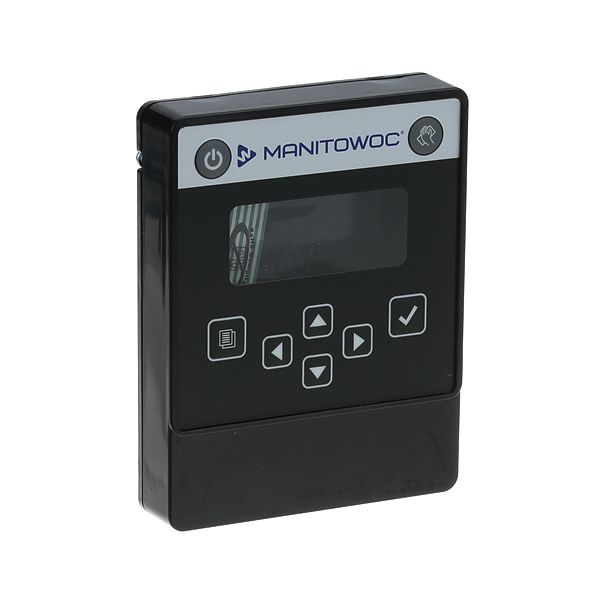
Manitowoc 000008031 Ice Machine LCD Housing W/ No Display

Special Price $123.36 Regular Price $180.95
In stock
SKU
000008031
The Manitowoc 000008031 Ice Machine LCD Housing is a part without an LCD screen is an essential component to safeguard and house the ice machine’s control panel. This rugged housing enables the operators to control the settings of their ice production conveniently with no interference from outside world on the internal parts. Advantages of this product are increased durability, installation convenience, and compatibility with different Manitowoc ice machines to operate efficiently. With this housing, users can achieve longevity of the ice machines they use and avoid spending more money to repair or replace damaged display cases.

Dimensions

  • Length: 1 In
  • Width: 1 In
  • Height: 1 In
  • Weight: 0 lbs
https://partsfe.com/media/catalog/product/m/a/manitowoc-000008031-ice-machine-lcd-housing-w-no-display-72349-2.jpg
MANITOWOC:
Write Your Own Review
You're reviewing:Manitowoc 000008031 Ice Machine LCD Housing W/ No Display
Your Rating
Customer Questions
What maintenance is required for the Manitowoc 000008031 LCD Housing?

Regularly inspect the ice machine LCD housing for cracks, loose mounting points, or moisture intrusion that can affect internal control components. Keep the surface clean using a soft, dry cloth to prevent grease or dust buildup. Ensure all internal connectors remain secure and protected from vibration for accurate ice machine operation.

What are common issues with the Manitowoc 000008031 LCD Housing?

  • Moisture ingress leading to electrical or control faults
  • Loose mounting causing display instability.
  • Connector misalignment or intermittent communication.
  • Physical damage affecting touchpad responsiveness.
  • Internal wear resulting in display or control failure.

We strive to provide our customers with a hassle-free and efficient shopping experience. Our shipping policy ensures the timely delivery of your orders and complete customer satisfaction. View More

We are committed to ensuring your complete satisfaction with every purchase. We understand that circumstances may arise where you must return a product or request a refund. If for any reason you are not satisfied, you may return the item(s) according to the terms outlined below. View More

This Payment Policy outlines the terms and conditions governing all payments made for products purchased through our website. By making a purchase, you agree to be bound by this Payment Policy. View More

Installation Steps

Step1: Disconnect power to the ice machine to prevent electrical shock before servicing.

Step2: Remove the front panel and detach the old LCD housing.

Step3: Align the new housing with mounting points and secure screws firmly.

Step4: Reconnect wiring harness ensuring tight, correct placement.

Step5: Reinstall panel and restore power to test housing operation safely.

Step6: Check display functionality and ensure no loose connections remain.