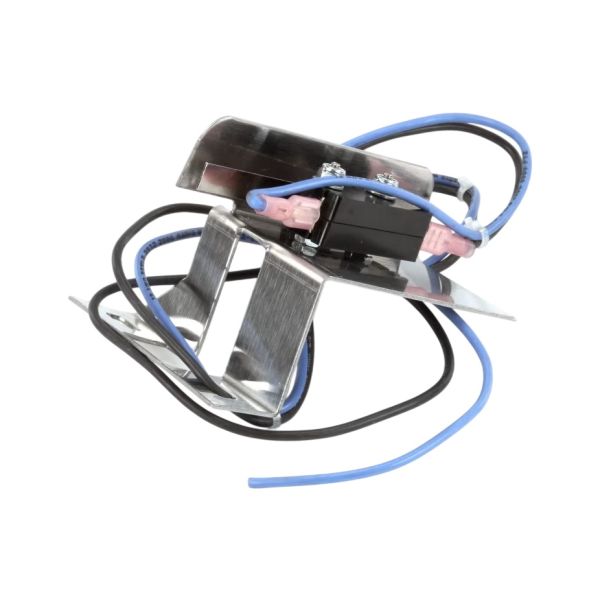
Montague 33276-3 Oven Door Microswitch W/Bracket V Series
Special Price $121.54 Regular Price $128.75
In stock
SKU
33276-3
Manufacturer:
Dimensions
- Weight: 0 lbs

We strive to provide our customers with a hassle-free and efficient shopping experience. Our shipping policy ensures the timely delivery of your orders and complete customer satisfaction. View More
We are committed to ensuring your complete satisfaction with every purchase. We understand that circumstances may arise where you must return a product or request a refund. If for any reason you are not satisfied, you may return the item(s) according to the terms outlined below. View More
This Payment Policy outlines the terms and conditions governing all payments made for products purchased through our website. By making a purchase, you agree to be bound by this Payment Policy. View More
Step1: Disconnect power supply and ensure oven is cool, and isolate circuit breaker.
Step2: Remove access panel to reach door microswitch assembly carefully using correct tools.
Step3: Detach faulty microswitch from bracket noting wiring positions and terminal layout.
Step4: Install new microswitch onto bracket and reconnect wires securely, matching terminals.
Step5: Reassemble panel and test door operation before restoring power, ensure proper operation safely.