

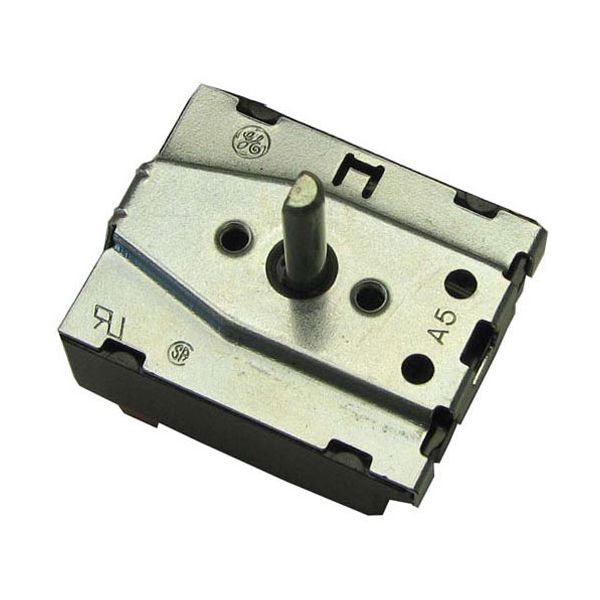
Blodgett 21068 Rotary Switch 4 Position

$62.82
In stock
SKU
21068
Manufacturer:

The Blodgett 21068 Rotary Switch 4 Position is an electrical switch that is used to turn electrical circuits on and off by turning the switch to one of four discrete positions. It operates by linking various internal contacts as the knob is rotated, and it causes current to flow to the circuit of interest. This is fitted in the control panel of compatible equipment and is aligned with the mounting hole and held in place. It is designed in a way that it can be wired to specific terminals to enable its use.

Dimensions

  • Length: 2 In
  • Width: 9.34 In
  • Height: 2 In
  • Weight: 0.13 lbs
https://partsfe.com/media/catalog/product/b/l/blodgett-21068-rotary-switch-4-position-54829-2.jpg
BLODGETT:
FRANKLIN CHEF:
Write Your Own Review
You're reviewing:Blodgett 21068 Rotary Switch 4 Position
Your Rating
Customer Questions
What maintenance is required for the Blodgett 21068 Rotary Switch?

Regularly inspect the switch for signs of wear, loose connections, or debris buildup. Keep the contacts clean to ensure smooth operation and prevent electrical faults. Preventive care includes checking wiring insulation and tightening terminals. Always disconnect power before servicing for safety.

What are common issues with the Blodgett 21068 Rotary Switch?

  • Electrical contacts may wear out or burn.
  • Loose or faulty wiring connections can cause intermittent operation.
  • Switch positions may become misaligned or fail to connect.
  • Mechanical stiffness or jamming can hinder smooth rotation.

We strive to provide our customers with a hassle-free and efficient shopping experience. Our shipping policy ensures the timely delivery of your orders and complete customer satisfaction. View More

We are committed to ensuring your complete satisfaction with every purchase. We understand that circumstances may arise where you must return a product or request a refund. If for any reason you are not satisfied, you may return the item(s) according to the terms outlined below. View More

This Payment Policy outlines the terms and conditions governing all payments made for products purchased through our website. By making a purchase, you agree to be bound by this Payment Policy. View More

Installation Steps

Step1: Disconnect power supply and check zero voltage for safety.

Step2: Remove control panel cover to access the switch assembly.

Step3: Label and disconnect wiring from the old rotary switch.

Step4: Unscrew and remove the defective switch from the panel.

Step5: Install new switch in correct orientation and secure tightly.

Step6: Reconnect wires exactly as labeled.

Step7: Reassemble panel, restore power, and test all four positions for proper operation.