

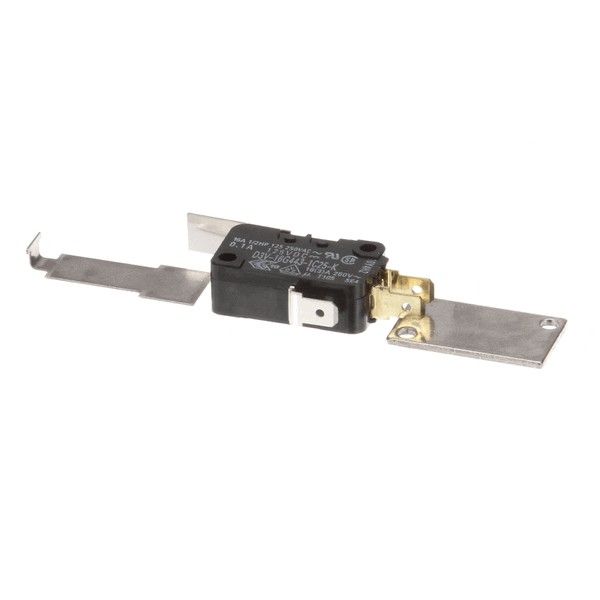
TurboChef TBCI1-3207 Oven Door Switch Pad Service Kit

$19.26
In stock
SKU
TBCI1-3207
The TurboChef TBCI1-3207 Oven Door Switch Pad Service Kit is used to monitor the position of the appliance door to manage electrical circuits to ensure safe operation. It works by breaking or making the circuit when door is opened or closed, and oven will give a reaction. This is a kit that is fitted in the door assembly, and it connects the door switch mechanism to the control system of the oven. Its positioning means that it can detect door status correctly.

Dimensions

  • Length: 1 In
  • Width: 1 In
  • Height: 1 In
  • Weight: 0 lbs
https://partsfe.com/media/catalog/product/t/u/turbochef-tbci1-3207-ngo-enc-switch-pad-service-kit-15901.jpg
Write Your Own Review
You're reviewing:TurboChef TBCI1-3207 Oven Door Switch Pad Service Kit
Your Rating
Customer Questions
What maintenance is required for the TurboChef TBCI1-3207 Switch Pad Service Kit?

Inspect the switch pad regularly for damage, contamination, or reduced responsiveness. Clean the surface gently to prevent grease or debris buildup affecting inputs. Ensure proper alignment and secure installation to maintain accurate electrical contact and consistent control performance.

What are common issues with the TurboChef TBCI1-3207 Switch Pad Service Kit?

  • Unresponsive or delayed key inputs.
  • Damage on switch pad surface causing poor contact.
  • Intermittent control signal failure.
  • Moisture or grease interference affecting operation.
  • Misalignment leading to inconsistent button activation.

We strive to provide our customers with a hassle-free and efficient shopping experience. Our shipping policy ensures the timely delivery of your orders and complete customer satisfaction. View More

We are committed to ensuring your complete satisfaction with every purchase. We understand that circumstances may arise where you must return a product or request a refund. If for any reason you are not satisfied, you may return the item(s) according to the terms outlined below. View More

This Payment Policy outlines the terms and conditions governing all payments made for products purchased through our website. By making a purchase, you agree to be bound by this Payment Policy. View More

Installation Steps

Step1: Disconnect power and apply lockout/tagout for safety.

Step2: Remove control panel cover to access existing switch pad assembly.

Step3: Disconnect ribbon cable or wiring harness from old pad.

Step4: Remove or unfasten worn switch pad from mounting surface.

Step5: Align new service kit switch pad and secure evenly without air gaps.

Step6: Reconnect cable, reinstall panel, and restore power.

Step7: Test all touch operates, avoid moisture exposure during installation.