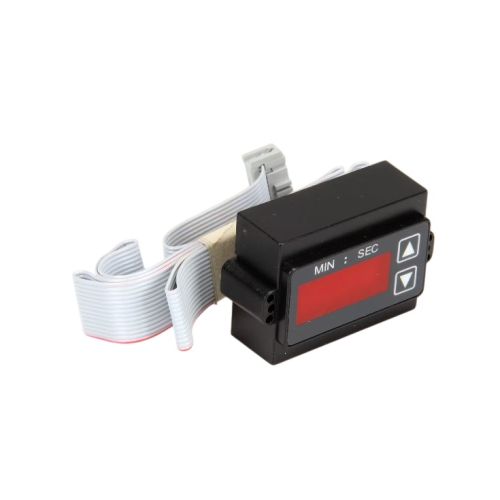
Pitco 60158301 Digital Timer Control Ogard

Special Price $1,001.49 Regular Price $1,255.00
In stock
SKU
60158301
Manufacturer:

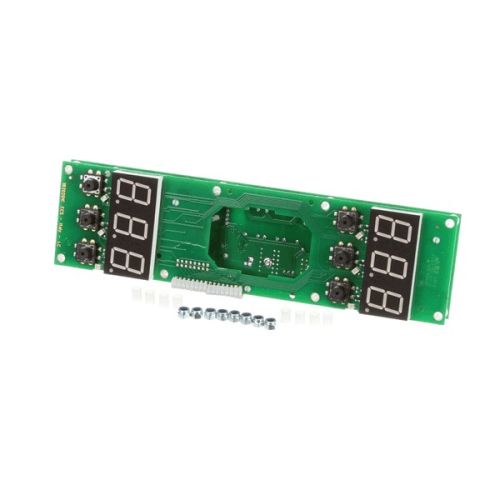
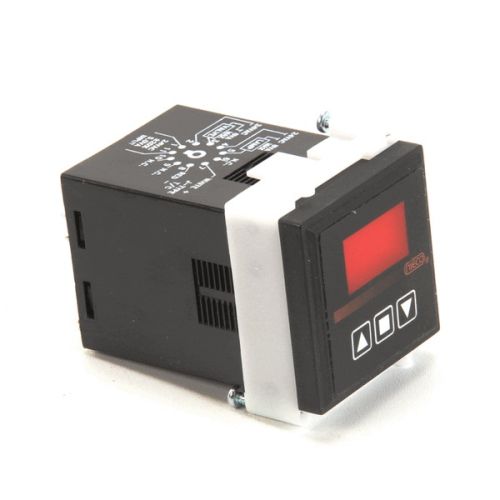
The Pitco 60158301 Digital Timer Control works by controlling cooking or working cycles by means of accurate time management. It operates by taking the user input and timing the sending signals to turn on or turn off equipment components connected to it. The timer control is fitted in compatible appliances, which are usually mounted on the front control panel, where they are easily accessible. It helps in the proper timing of the processes and synchronization with heating or mechanical systems and allows the processes to be consistent during fry or cook cycles.

Dimensions

  • Length: 7 In
  • Width: 4.5 In
  • Height: 2 In
  • Weight: 0.63 lbs
https://partsfe.com/media/catalog/product/p/i/pitco-60158301-dig-pasta-timer-control-ogard-95773-2.jpg
Manufacturer Name: Pitco
Product Number: 60158301
OEM Part Number: 60158301
Product Description: Dig Pasta Timer Control Ogard
Similar Models:231-70133-09 - Fast, PT60158301 - Pitco
Dimensions:
Length:7in/17.78cm
Width:4.5in/11.43cm
Height:2in/5.08cm
Weight:0.63lbs/285.76g

Choose the best Commercial kitchen & Restaurant equipment parts and supplies from PartsFe!

  • Same Day Shipping

  • Best Quality And Best Price

  • Wide Range of Inventory

  • Best Customer Service

Have More Questions or Need Help to Place The Order?
Reach us at 866-863-0907 or contact@partsfe.com

Write Your Own Review
You're reviewing:Pitco 60158301 Digital Timer Control Ogard
Your Rating
Customer Questions
What maintenance is required for the Pitco 60158301 Digital Timer Control?

Regularly inspect the digital timer control for proper display and responsive input. Clean the control surface to remove grease or moisture buildup. Check wiring connections for stability. Routine attention ensures accurate timing functions and consistent cooking performance.

What are common issues with the Pitco 60158301 Digital Timer Control?

  • Timer not responding or failing to start cycles.
  • Inaccurate timing affecting cooking results.
  • Display malfunction or unreadable screen.
  • Button or keypad becoming unresponsive.

We strive to provide our customers with a hassle-free and efficient shopping experience. Our shipping policy ensures the timely delivery of your orders and complete customer satisfaction. View More

We are committed to ensuring your complete satisfaction with every purchase. We understand that circumstances may arise where you must return a product or request a refund. If for any reason you are not satisfied, you may return the item(s) according to the terms outlined below. View More

This Payment Policy outlines the terms and conditions governing all payments made for products purchased through our website. By making a purchase, you agree to be bound by this Payment Policy. View More

Installation Steps

Step1: Turn off power at the breaker and unplug the unit to prevent electrical shock.

Step2: Open the control panel to access the existing timer.

Step3: Label and disconnect wires from the old timer control.

Step4: Remove mounting screws and take out the old unit.

Step5: Position the new timer control, secure it with screws, and reconnect wires correctly.

Step6: Close the panel, restore power, and test timer functionality.