

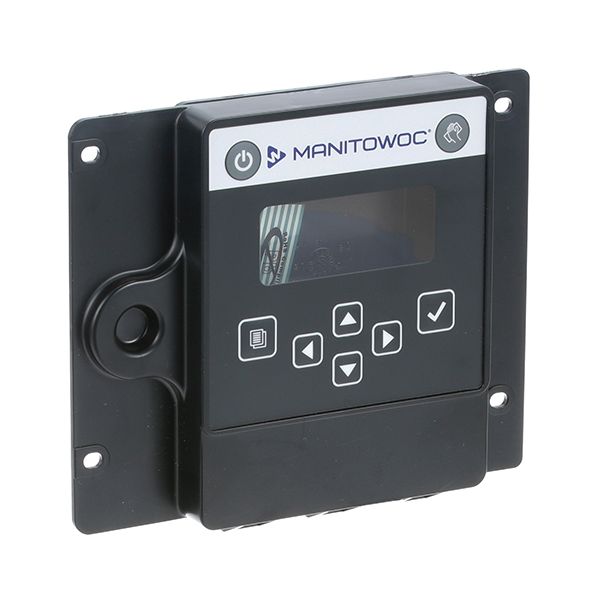
Manitowoc 000007926 Ice Machine LCD Housing Assembly
Dimensions
- Length: 7 In
- Width: 6 In
- Height: 1.5 In
- Weight: 0.3 lbs
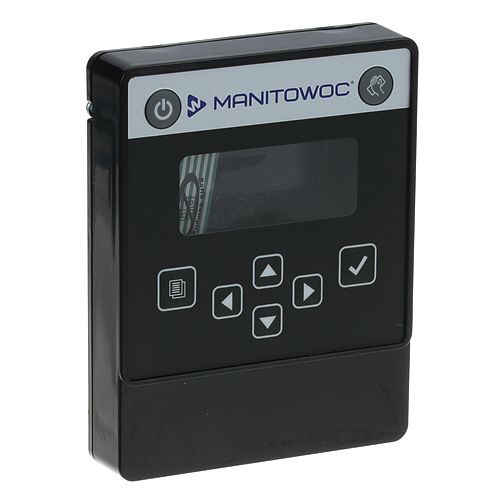
Display Mounting:
Supporting the LCD in its designated position, the housing provides the mounting structure within the ice machine control area. It maintains the display's placement within the interface while connecting the LCD assembly with the surrounding control-panel structure.
Control Interface Enclosure
Surrounding the display interface, the housing establishes the physical enclosure for the LCD assembly within the ice machine. Its configuration helps maintain the display in its designated position while providing the structural interface between the display and the equipment's control-panel arrangement.
Replacement Guidelines
Replace the Manitowoc 000007926 Ice Machine LCD Housing Assembly when the housing is cracked, broken, deformed, or no longer securely supports the LCD display assembly. Select the replacement by matching the housing configuration, display mounting arrangement, control-panel structure, and applicable Manitowoc ice machine model.
Common Failure Symptoms:
Equipment Compatibility:
The Manitowoc 000007926 Ice Machine LCD Housing Assembly is an OEM component designed for Manitowoc commercial ice machines using the corresponding housing configuration. Verify the equipment model and display assembly arrangement before selecting the component.
Technical Specifications:
Part Number: 000007926
Brand: Manitowoc
Component Name: LCD Housing Assembly
Equipment Type: Commercial Ice Machine
Component Type: Display Housing
We strive to provide our customers with a hassle-free and efficient shopping experience. Our shipping policy ensures the timely delivery of your orders and complete customer satisfaction. View More
We are committed to ensuring your complete satisfaction with every purchase. We understand that circumstances may arise where you must return a product or request a refund. If for any reason you are not satisfied, you may return the item(s) according to the terms outlined below. View More
This Payment Policy outlines the terms and conditions governing all payments made for products purchased through our website. By making a purchase, you agree to be bound by this Payment Policy. View More
Step1: Turn off the ice machine and disconnect power.
Step2: Remove the front panel or existing LCD housing carefully.
Step3: Disconnect wiring connectors from the old assembly.
Step4: Position the new LCD housing in place and secure with screws.
Step5: Reconnect all wiring to the corresponding terminals.
Step6: Reattach the front panel, restore power, and test the display for proper operation.