Hobart Mixer Troubleshooting: Here's How to Fix Common Problems
Hobart mixers are crucial in commercial kitchens, providing better performance for everything from mixing dough to batter preparation. However, like any other equipment, mixers may face issues over time. Proper maintenance is necessary to keep your Hobart mixer parts in top condition. One of the most important key aspects is troubleshooting common issues, which may vary from electrical malfunctioning to mechanical issues. In this article, we’ll guide you through diagnosing and fixing most common Hobart mixer problems to ensure smooth operation and long-lasting performance.
Understanding the Role of Your Hobart Mixer in the Kitchen
Understanding the Hobart mixer's position in kitchen operations remains vital before starting any troubleshooting process. Hobart mixers serve the kitchen by providing chefs with a single tool to mix ingredients while also kneading, whipping, and blending them without complications. The Hobart mixer operates effectively on various food preparations including pizza, bread, dough, cake, muffin and batters to deliver better outcomes.
The commercial-grade motors, gears, drive belts, and mixing attachments in Hobart mixer parts enable these machines to process large ingredient quantities, making them suitable for restaurants, bakeries, catering companies, and other food service operations. These machines stand out because of their durability and power, yet mechanical issues may develop from normal wear and tear. Understanding the purpose of your mixer enables you to detect when its performance deviates from normal operation.
Signs That Indicate Your Hobart Mixer Needs Immediate Consideration
Identifying maintenance needs of your Hobart mixer will prevent minor issues from escalating into larger and more costly problems. The following signs indicate your Hobart mixer needs immediate attention:
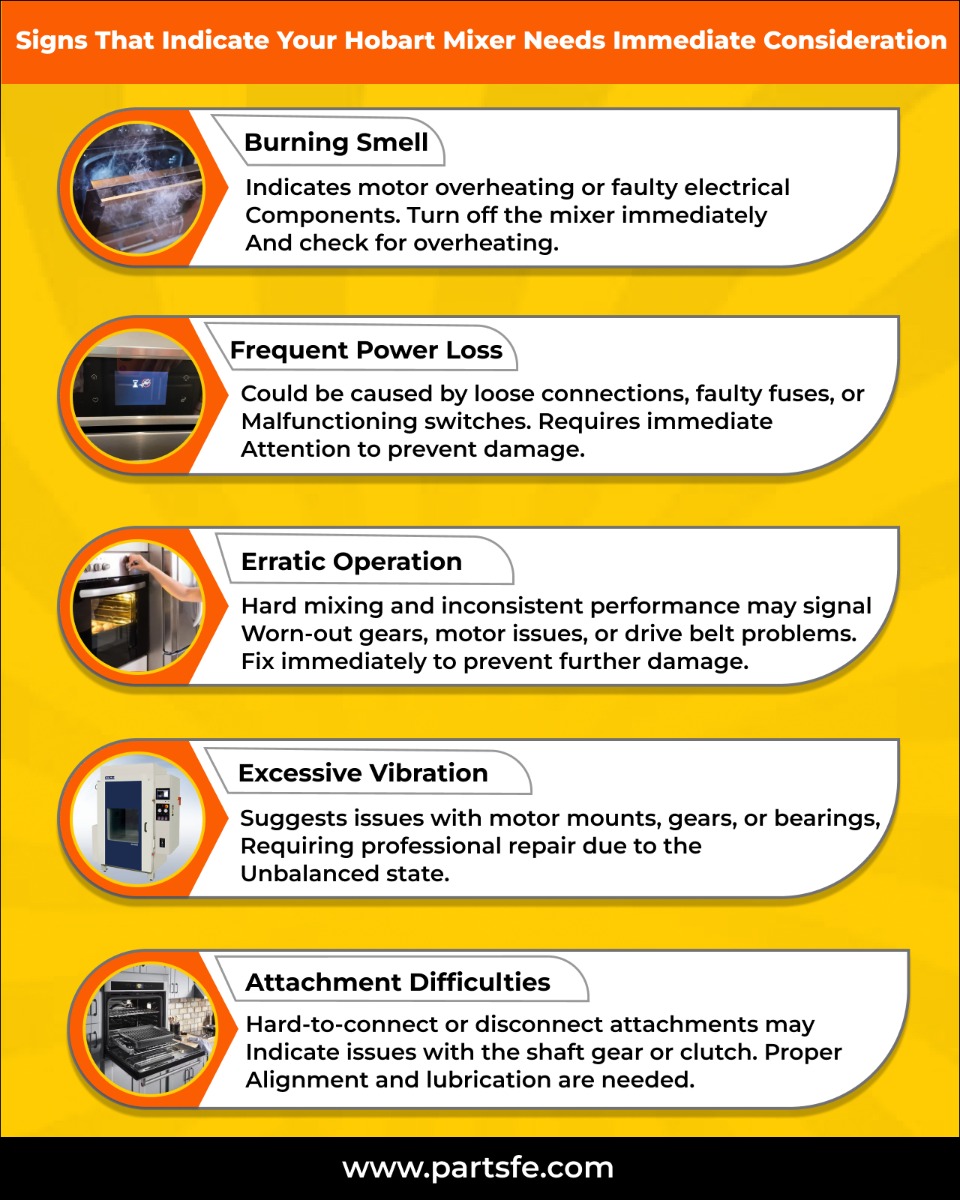
The observation of these signs requires immediate inspection of your mixer to determine the root cause of the problem.
Common Issues with Your Hobart Mixer & How to Fix Them
Hobart mixers function as durable commercial kitchen equipment yet they may develop operational problems throughout their lifespan. The following guide provides solutions for resolving typical issues with Hobart mixer parts.
Problem: Hobart Mixer Not Turning On
The most frequent Hobart mixer problem occurs when the machine fails to start. Several possible causes exist for power-up failure including faulty power supply and tripped circuit breaker and blown fuse and malfunctioning power switch. The mixer cannot receive operational power because of these problems.
Solution:
-
Open Circuit Protector: Verify that the fuse remains intact. Replace the blown fuse with one that has a good rating. The disconnect switch requires inspection for proper functioning. If necessary, reset or replace the switch.
-
Overloaded Mixer: The load can be reduced through ingredient removal or by selecting the correct attachment. The mixer motor experiences excessive stress when overloaded which might stop the machine from starting.
-
Open Wire Cage: Follow manufacturer instructions to position the wire cage correctly. Follow the manufacturer guidelines to position the wire cage at the front center point to prevent any possible interference.
-
Bowl Not Locked Properly: After securing the bowl in the “mix” position check that it remains locked before proceeding. A mixer that is not fully engaged will prevent the machine from starting.
-
Flashing Time Display: You should unplug the mixer for several seconds before plugging it back in to reset the system. Contact an authorized service technician if the problem continues.
-
Gear Shift Lever Stuck Between Gears: Check that the gear shift lever rests in either low or high gear position. Adjust the gear shift lever gently when it is stuck to achieve the correct position.
Problem: Hobart Mixer Making Unusual Noises (Grinding, Squealing, or Rattling)
The mixer produces unusual noises when gears become worn out or when bearings malfunction or when parts become misaligned. The mixer becomes noisy while these problems simultaneously threaten to damage its internal components.
Solution:
-
Inspect for Debris: Check for debris or loose parts inside the mixer while it is unplugged to identify the source of the noise.
-
Check Gears and Bearings: Check the gears and bearings for indications of deterioration. Replace the damaged parts right away if you detect any signs of wear.
-
Tighten Loose Parts: Rattling sounds occur from loose components. The motor operation will remain smooth while avoiding strain when all bolts and screws receive proper tightening.
Problem: Hobart Mixer Overheating
Hobart mixers frequently experience overheating problems because of prolonged operation or blocked ventilation or a faulty cooling fan. The motor faces potential damage when the mixer reaches high temperatures.
Solution:
-
High Ambient Temperatures: Place the mixer in an area with cool temperatures. Moving the mixer to a different environment helps avoid overheating when room temperatures become excessive.
-
Oversized Batch: Place the mixer in an area with cool temperatures. Moving the mixer to a different environment helps avoid overheating when room temperatures become excessive.
-
Motor Drive Malfunction: A malfunctioning motor requires professional inspection and repair of the motor drive system by a technician.
-
Clogged Motor Drive Heat Sink Fins: You should disable the mixer while cleaning away debris from heat sink fins for better cooling performance.
-
Clogged Bottom Cover Vent: Cleaning the bottom cover vent ensures proper airflow which prevents overheating of the device.
-
High Voltage Supply: Plugging the mixer into the correct voltage supply will prevent electrical problems that can cause overheating.
Problem: Hobart Mixer Running Slower Than Usual
A mixer operating at reduced speed may indicate a worn-out drive belt or a faulty motor or insufficient lubrication which results in degraded performance.
Solution:
-
Check the Drive Belt: Check the mixer drive belt for damage while it is unplugged. The mixer requires a new drive belt when it becomes loose or breaks.
-
Inspect the Motor: Check that the motor functions properly. A weak motor operation or running difficulties indicate the need for maintenance or replacement of the motor.
-
Lubricate Moving Parts: Check that the mixer has sufficient lubrication. The mixer's operational efficiency can be improved by applying lubricant to its gears and moving components.
Problem: Hobart Mixer Oil or Grease Leak
The main causes of leaks include worn seals or bearings and improper lubrication and insufficient maintenance. A leaking mixer requires immediate attention because it can cause additional damage.
Solution:
-
Turn Off and Unplug the Mixer: Check for power off on the mixer before starting the leak inspection to prevent accidents.
-
Check Seals and Bearings: Check for damage on seals and bearings. Change broken or worn seals and bearings since they allow leakage to occur.
-
Clean Excess Oil: Remove all the extra oil and grease from the leaking zone. Seal all components with proper installation to stop future leaks.
Problem: Agitator Touching Bowl
The contact between the agitator and the bowl leads to damage of both the bowl and mixer components. The improper adjustment of bowl clamps or agitator clearance usually leads to this issue.
Solution:
-
Unplug the Mixer: Safety requires users to disconnect the mixer from power before they modify its settings.
-
Adjust the Agitator: Adjust the stop screw through the locking nut loosening process before removing the apron. Adjusting the stop screw through clockwise rotation will reduce clearance while counterclockwise rotation will expand it. Secure the locking nut after finishing the adjustment process.
-
Reassemble the Mixer: Reposition the apron after adjustments before securing it in its original position. Check the bowl lift operation by plugging in the mixer while ensuring it moves without bowl contact.
Problem: Hobart Mixer Keeps Shutting Off
Your Hobart mixer will stop operating automatically because of overheating conditions or because you have added too much material or because of electrical supply issues.
Solution:
-
Overheating: Lower the room temperature or relocate the mixer to a better ventilated space to stop heat buildup.
-
Oversized Batch: Keep the mix batch at or below recommended capacity levels to prevent mixer overload.
-
Voltage Supply Issues: Stable power supply with correct voltage must be connected to the mixer to prevent voltage fluctuations that could shut it off.
-
Power Interruption: Temporary power disruption can be resolved by turning off and then back on the mixer. Contact a service technician if the problem does not resolve.
-
Motor Drive Malfunction: A professional technician should examine and fix the motor drive system when it malfunctions.
Troubleshooting Hobart Mixer Error Codes and Display Messages
Hobart mixers show error codes starting with "ErXX" together with messages "b_in" and "b_up" to signal maintenance needs.
Error Code Display (ErXX)
-
Error code is flashing: The mixer needs time to resolve the error condition.
-
If the error persists: Turn off power to the device for one minute before restarting it.
-
Still displaying error: You should consult the Hobart mixer manual reference guide or seek help from a professional repair service.
"b_in" and "b_up" on Speed Display
-
Issue: The mixer bowl fails to reach its maximum height position.
-
Solution: Verify and adjust the position of the bowl. The message will reappear after correction so turn off power for one minute before reconnecting.
-
Still displaying: Contact Hobart mixer repair service center for help if the issue persists.
"HI" and "LOAd" Message Displays
-
Issue: The machine displays these messages when users do not activate the STIR function for dough development.
-
Solution: Always activate the STIR function before preparing dough.
Preventive Maintenance Tips to Extend the Life of Your Hobart Mixer
Regular preventive maintenance stands as the most effective method to preserve the long-term operational quality of Hobart mixer Parts. Active preventive actions enable you to save repair expenses and maintain your mixer at its best condition. These guidelines will help you preserve your mixer:
-
Lubricate the Mixer Regularly: Your mixer requires proper lubrication to maintain smooth operation of its internal components. Use the manufacturer’s recommended lubrication schedule with high-quality commercial mixer-specific lubricants.
-
Clean the Mixer After Each Use: Your mixer's performance will suffer from accumulated food particles and grease and other debris after use. After every use you should clean the mixer completely to avoid buildup which will help maintain its operational efficiency.
-
Inspect the Mixer Periodically: Timely inspections enable you to detect potential issues at an early stage as explained before. Inspections of your mixer should occur every few months to confirm proper functioning including maintenance checks.
-
Replace Worn Parts Promptly: Replace worn or damaged mixer components immediately when you detect them. Postponing replacement leads to advanced problems which might need expensive maintenance work.
-
Avoid Overloading the Mixer: Using your mixer beyond its capacity puts excessive pressure on its motor and other internal components. Check your mixer's capacity limits before adding excessive ingredients to maintain its performance quality.
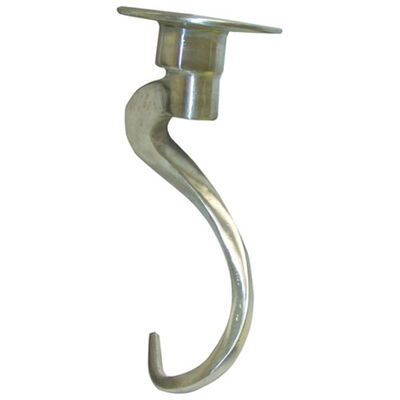
Check the attachment connections of your Hobart bakery or dough mixer while making sure all the attachments remain in good condition to improve performance. The maintenance of Hobart bakery mixers requires both proper lubrication and routine checks of dough hooks to stop wear from developing.
When to Call a Professional for Hobart Mixer Repairs
Professional assistance becomes necessary when Hobart mixer parts fail to resolve issues through troubleshooting. You should contact a technician when your Hobart mixer continues to experience problems after troubleshooting.
-
Ongoing Electrical Issues: Frequent shut-offs or power surges from the mixer point to internal electrical problems that could stem from a defective circuit board or damaged wiring. A professional can both identify and fix this issue.
-
Motor Failure: The motor requires inspection when troubleshooting fails to resolve unusual noises or overheating symptoms. A Hobart dough mixer repair technician can evaluate the motor state before deciding whether to fix or replace it.
-
Internal Damage: Professional help is needed to handle worn or damaged components such as gears or drive systems because proper repairs require exact realignment or replacement procedures outlined in the Hobart mixer manual.
-
Severely Worn Parts: The improper alignment of drive shafts and damaged gears and bearings will lead to additional equipment damage. Professional intervention is needed for both realignment and replacement of these components.
-
Constant Overheating: A machine that continues to overheat requires professional inspection to identify any serious internal problems.
Expert consultation for Hobart mixer repair will protect your equipment from additional damage while maintaining its operational efficiency which reduces both time and financial expenses.
Maintaining Your Hobart Industrial Mixer for Optimal Performance
Commercial kitchens depend on Hobart mixers as their essential equipment because they deliver reliable performance and maintain their durability. Machines including Hobart mixers will eventually develop operational problems. Knowledge about frequent problems, noticeable warning signs and correct maintenance procedures for your mixer allows you to sustain its optimal performance.
At PartsFe, we offer high-quality replacement parts, including motors, fuses, power switches, and more, to keep your Hobart mixer running efficiently. With our cost-effective pricing and expert advice, you can ensure your equipment stays in top condition. Regular maintenance and timely repairs using genuine parts will help extend your mixer's lifespan.
FAQs
How do I reset a Hobart mixer?
To reset a Hobart mixer, simply turn off the power to the unit by unplugging it, wait for a few seconds, then plug it back in.
Why is my Hobart dough mixer not turning on?
If your Hobart dough mixer isn't turning on, the most likely reasons are: a faulty power connection (check the outlet and breaker), incorrect bowl positioning, a safety interlock issue (like the bowl not being properly secured or the protective cage not in place), a tripped circuit breaker, or an overheated motor
What could cause my Hobart mixer to trip circuit breakers?
If your Hobart mixer trips the circuit breaker, it could be due to a short circuit, motor overload, or a faulty power switch. Inspect the wiring, motor, and circuit breaker to identify the issue. If the problem continues, seek professional help for a thorough inspection and repair.
Why is my Hobart mixer leaking water during use?
Water leakage may occur if food debris or water enters the motor housing or due to a faulty gasket or seal. Clean the mixer thoroughly and replace any damaged seals or gaskets to prevent water from damaging sensitive components.